Standard Times can be missing in Dealers local Am sometime.
So we may be asked to create any missing Standard Times for ourselves or the Dealers.
To set up a new Standard Time we have to open up Work Data in AM (This must be done in the dealers local AM)
In the image below press the binoculars.
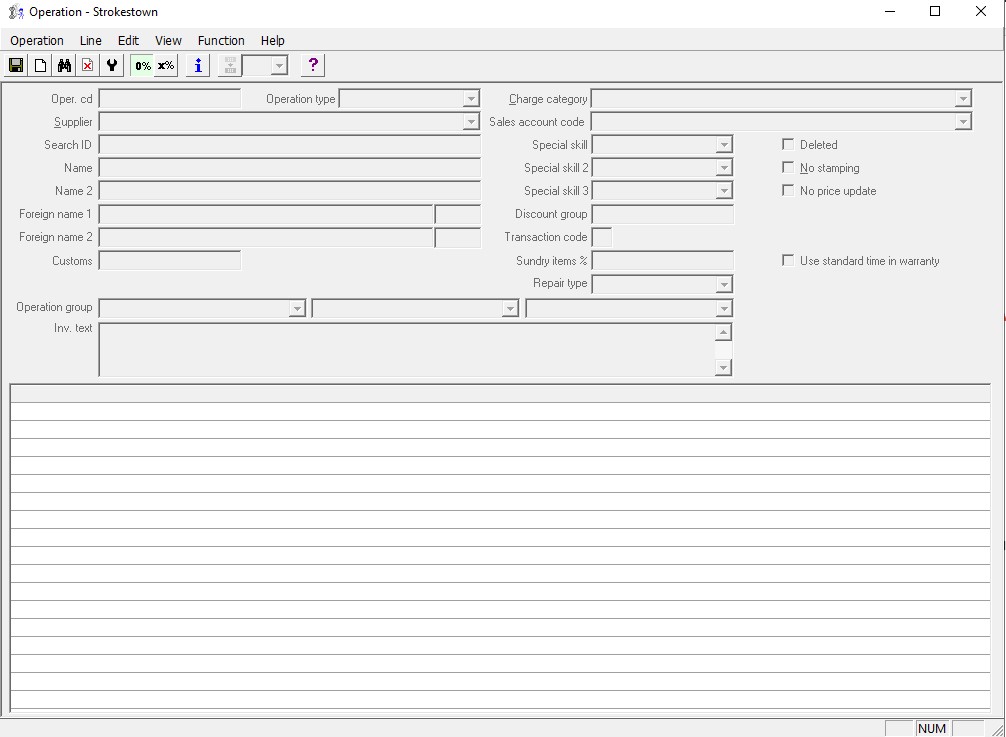
There will be a "New" button in the tab that opens after you press the binoculars.
This will ask you for an operation code.
The operation code should be given to you by the person asking you to set up.
Enter the Operation, a new tab will then open as shown in the image below.
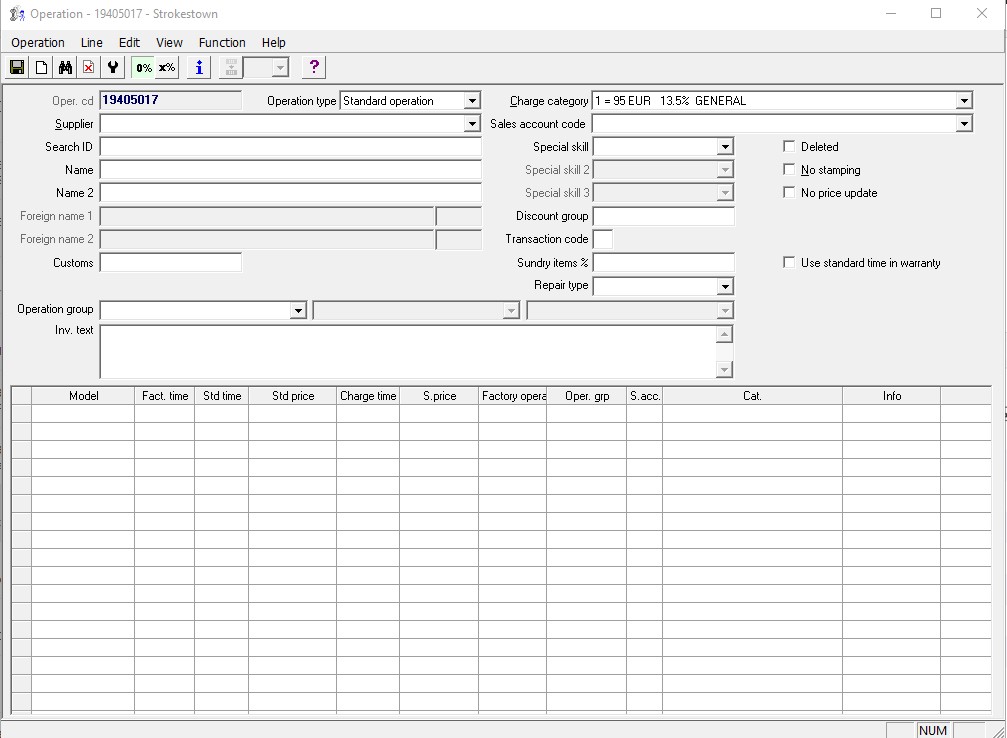
In this tab you must enter further details about the operation code, these details will be found in WIO.
In the image above we have taken operation code 19405017 - This was given to us by the dealer who asked us to set it up in their local AM.
To get further details to insert into the form above we looked up this part for the operation code in WIO.
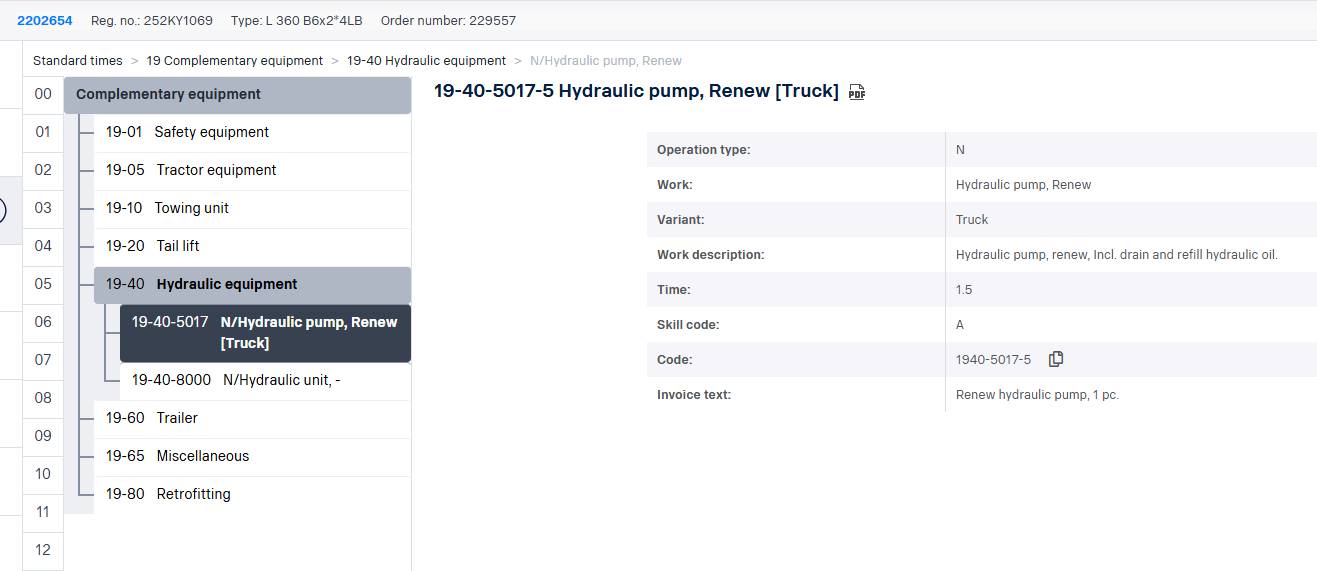
Once details are entered, save -> press line in the ribbon -> new timeline
Type in P6TRUCK for Model row (Very rarely anything other than P6TRUCK, may be a bus on the rare occasion)
Fill in Fact Time, std time, std and charge time as time shown in WIO.
Save.
That is it, hope this helps and you have no further questions :)
Was this article helpful?
That’s Great!
Thank you for your feedback
Sorry! We couldn't be helpful
Thank you for your feedback
Feedback sent
We appreciate your effort and will try to fix the article