BackGround:
SoftWorks Support often needs access to Softworks Server to Troubleshoot.
Team Viewer needs to be opened to allow them access.
To Allow Access to Softworks Server
- Log onto VMWare Prod vCentre -
https://wwsvcsa01.westward.local/ui
UserName - Administrator@vsphere.local (Password can be found in KeePass)
- Browse to DMZSOFTWRKS on Left Hand Side.
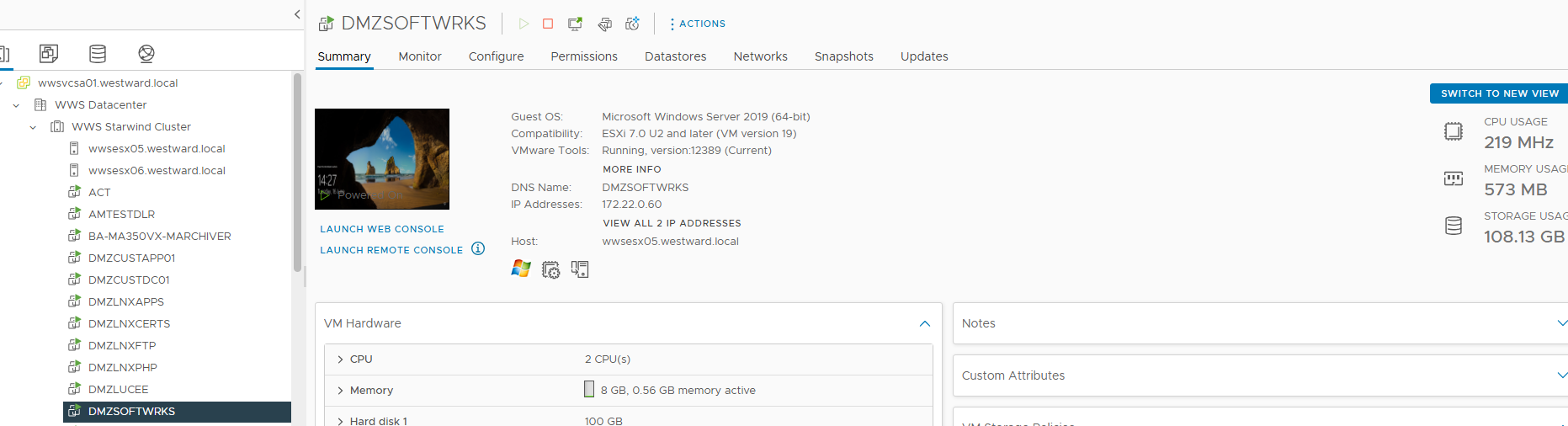
- Click on Launch Web Console
- Log in with Administrator - Password in KeePass
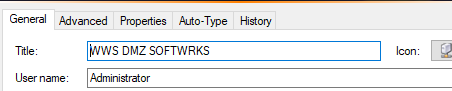
- When you log in successfully Open Team Viewer and send screenshot to Softworks
Please Note - Team Viewer needs to be left open at all times.
Was this article helpful?
That’s Great!
Thank you for your feedback
Sorry! We couldn't be helpful
Thank you for your feedback
Feedback sent
We appreciate your effort and will try to fix the article