Assigning Training Courses via MyCompass
- Log into My Compass and from Admin Menu select Learning Assignment Tool
- Click on Create Assignment and the following window will display:
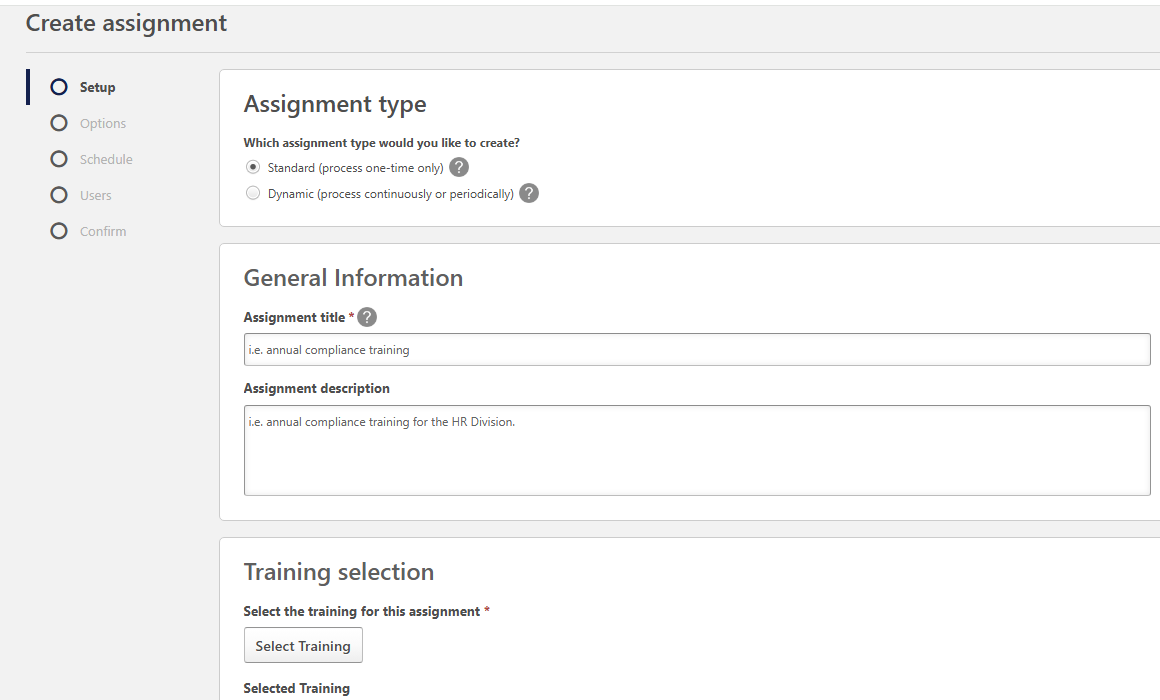
- Under General Information - Enter in Assignment Title
- Under Training Selection - Click on Select Training
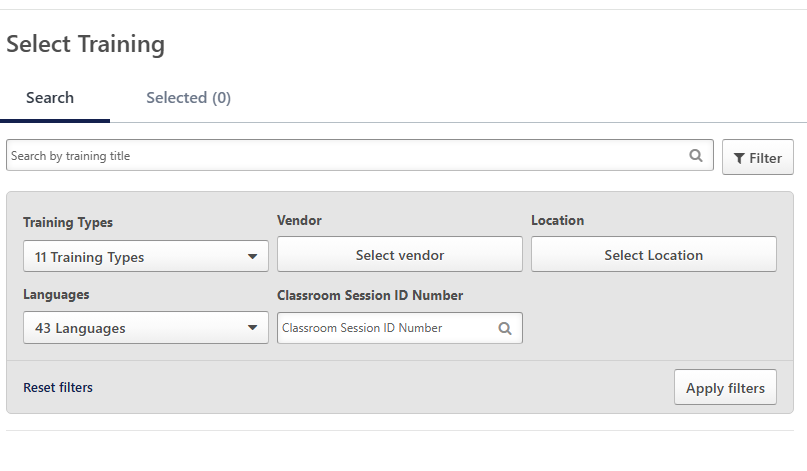
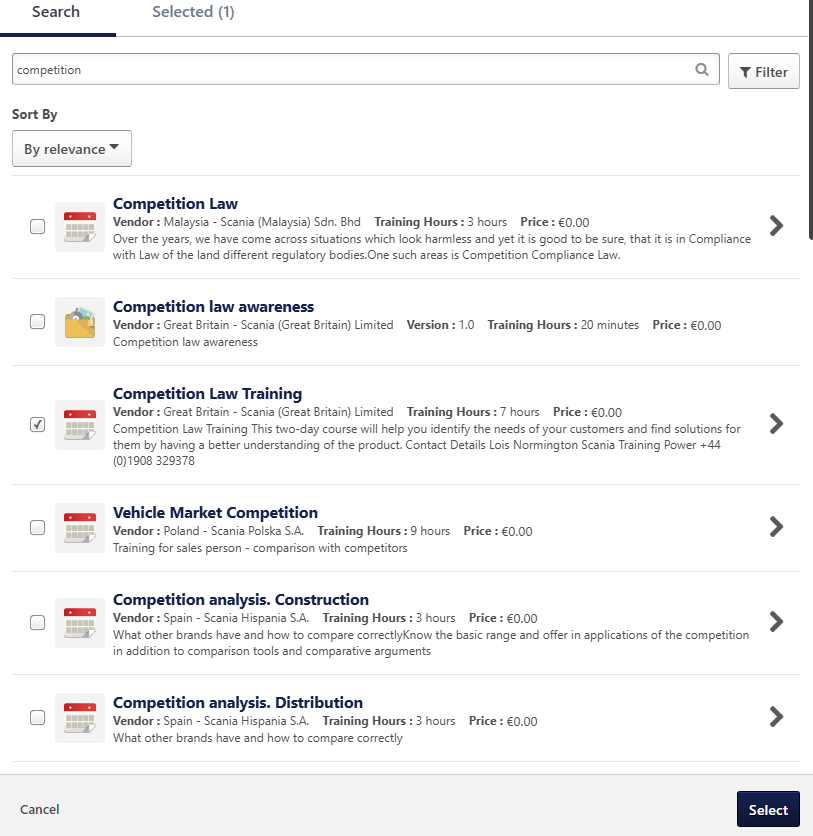
- Enter in Training Title and click on Filter. This will display list of options.
- Tick the relevant training and click on Select
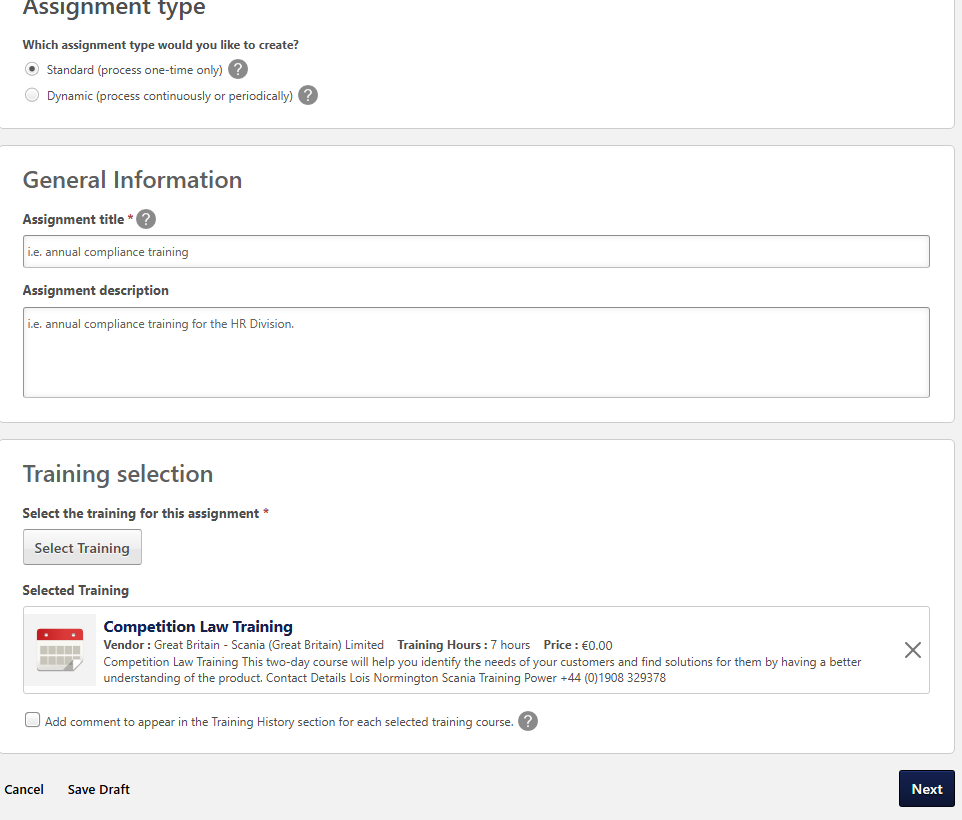
Click on Next
Under Training Assignment Workflow select the following:
- Assigned, Approved and Registered

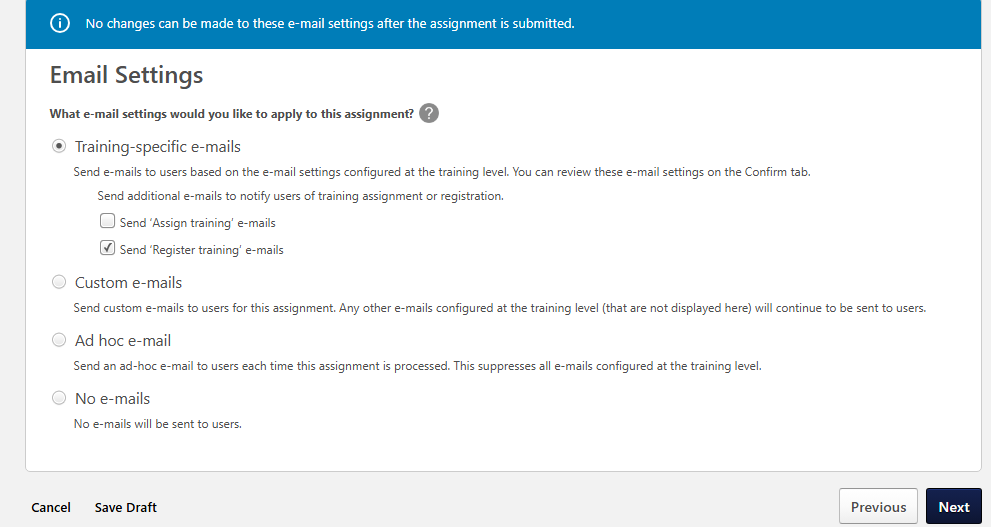
- Allow default email settings and click on next
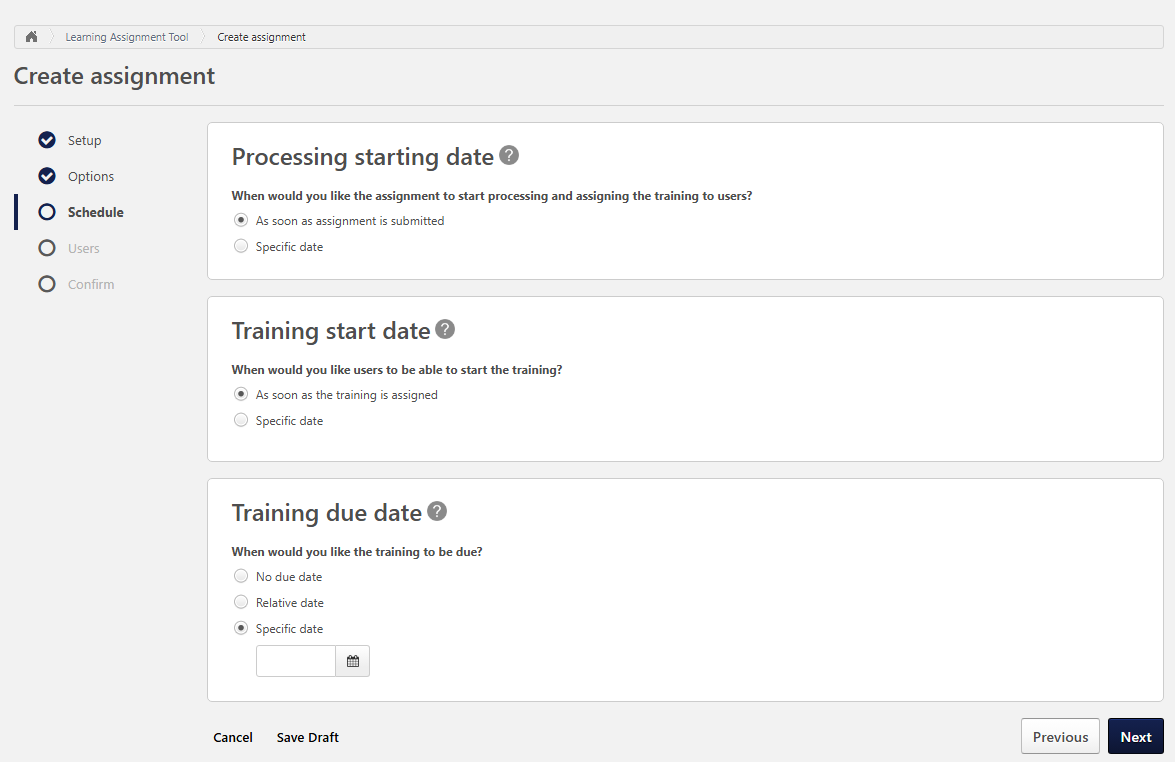
Under Processing Starting Date select
- As soon as assignment is submitted
Under Training Start Date select
- As soon as the training is assigned
Under Training Due Date select
- Specific Date and choose the end date you want the assignment to be completed by, then click on Next.
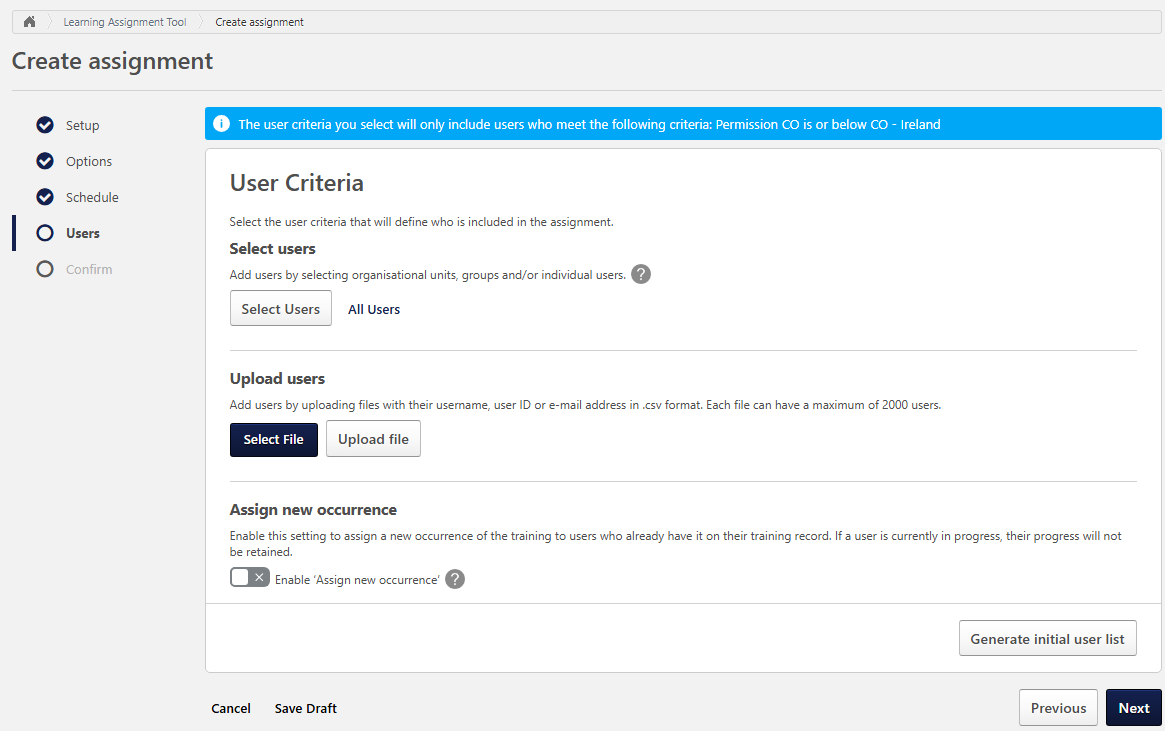
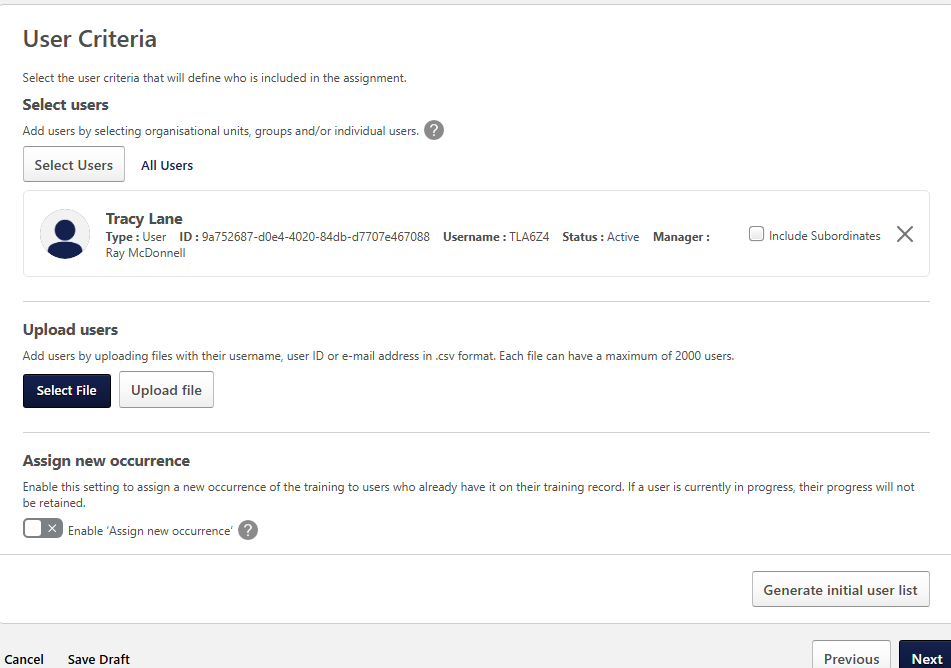
- Select list of users that you wish to assign the training to
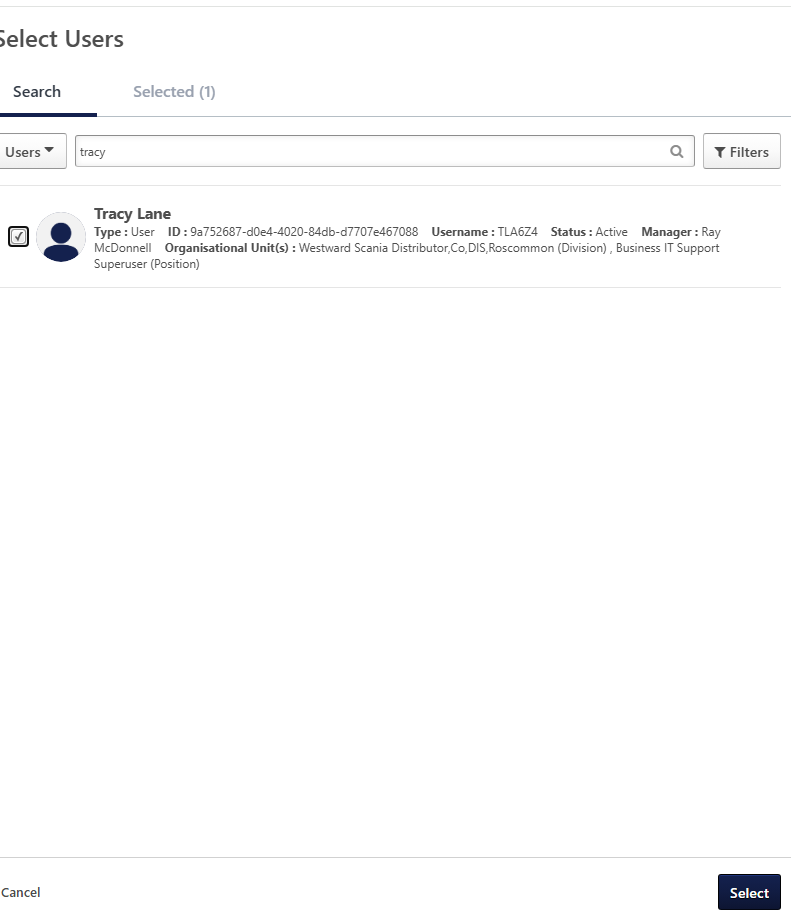
- Tick all the users you wish to include and click on Select
- Click on Generate Initial User List, then click on Next
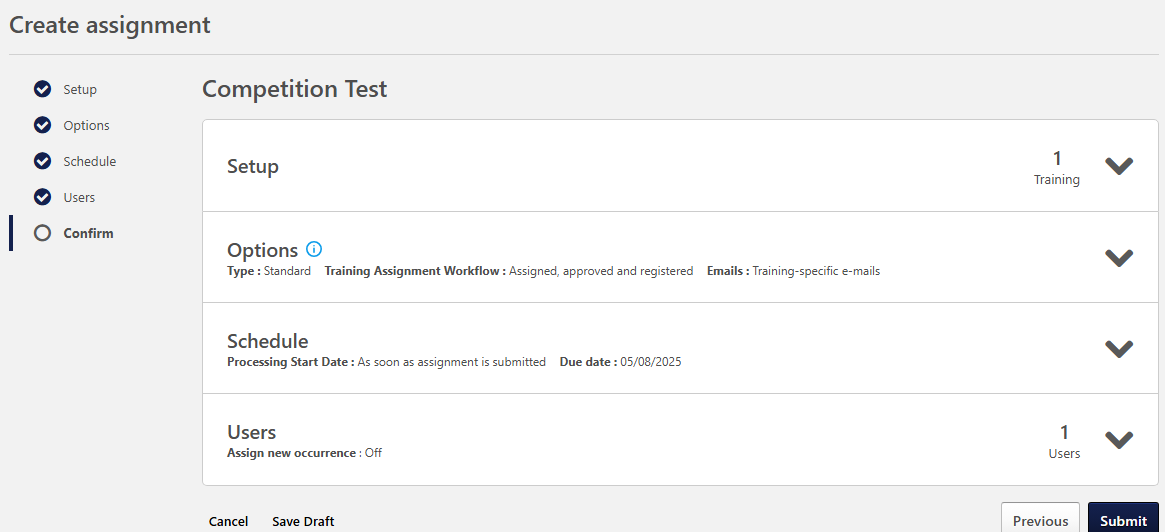
- Review and finally click on Submit
Was this article helpful?
That’s Great!
Thank you for your feedback
Sorry! We couldn't be helpful
Thank you for your feedback
Feedback sent
We appreciate your effort and will try to fix the article